
Have you ever felt annoyed by notifications from your smartphone when you’re trying to focus on work or studying? Well, that’s where the DND (Do Not Disturb) feature comes to the rescue.
Actually, DND is the name of a feature found on almost all modern smartphones. With this feature, you can silence notifications from specific people or apps. If you’re curious about what DND mode is and how it works, scroll down to find out!
What Is DND?
As explained earlier, DND (Do Not Disturb) is a feature available on both Android and iOS smartphones. Although it may seem similar to silent mode at first glance, the DND feature has its own advantages that make it much smarter.
The main function of DND is to automatically mute all incoming notifications, from phone calls and text messages to app notifications. Unlike regular silent mode, you can set exceptions so that certain important contacts can still reach you in an emergency.
Things to Prepare Before Enabling DND
To ensure you don’t miss important messages while this mode is active, there are a few small things you need to set up first.
These settings are absolutely essential to ensure your quiet time isn’t interrupted while still keeping you safe in case of an emergency. Here are a few things you must check before turning on the DND feature:
- Set Exception Contacts: Add family members or your boss so their calls still ring through when DND is active.
- Set an Automatic Schedule: You can set a specific schedule, such as automatically turning on from 10 p.m. to 6 a.m.
- Allow Repeated Calls: Turn on this option so that if a number calls multiple times within a short period, the second call will still ring.
How to Turn On Do Not Disturb on an Android Phone
Android smartphone users can enjoy the convenience of quickly accessing this feature with just a few swipes on the screen.
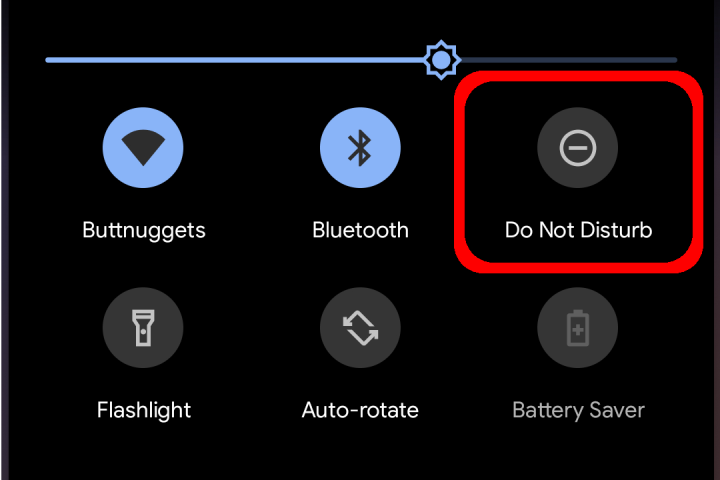
The most convenient way is through the Quick Settings panel, without having to go into the main menu. Here are the simple steps:
- Swipe down from the top of your phone’s screen to open the “Quick Settings” panel;
- Find and tap the “Crescent Moon” icon or the “Do Not Disturb” text;
- If the icon isn’t active yet, long-press it to open the “Do Not Disturb Settings” menu;
- Set the duration or schedule according to your needs;
- Tap the “Done” option to enable Do Not Disturb immediately.
How to Enable DND on an iPhone (iOS)
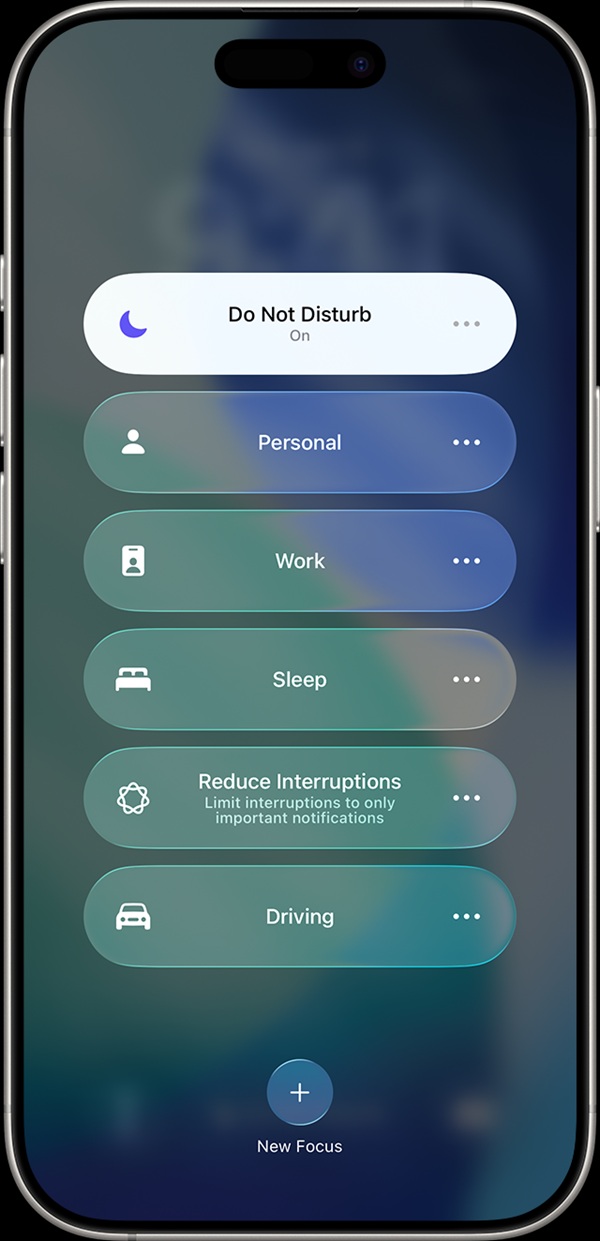
For iPhone users, the DND feature is now part of the increasingly advanced and flexible Focus system.
You can set this mode to turn on automatically based on your location, the time of day, or when you open certain apps. Follow the simple steps below:
- Swipe down from the top-right corner of the screen to open the “Control Center”;
- Tap the “Focus” button with the crescent moon icon;
- Select the “Do Not Disturb” option;
- Set a time limit, such as “For 1 Hour” or “Until Tonight,” by tapping the “three dots” icon next to “Do Not Disturb”;
- The DND feature on your iPhone will activate immediately.
How to Turn Off DND
Once your focus session or break is over, don’t forget to turn off DND mode so notifications return to normal.
Restoring sound is quick and easy. Here’s a quick guide:
- Open the “Quick Settings” panel on Android or “Control Center” on iPhone;
- Tap the lit “Do Not Disturb” or “Crescent Moon” icon;
- Make sure the icon’s color turns dim or off;
- All notification sounds and calls will immediately resume as usual.
What’s the Difference Between DND and Airplane Mode?
Many people still often confuse the DND feature with Airplane Mode.
The difference lies in network connections. When using Airplane Mode, all cellular, Wi-Fi, and Bluetooth connections are completely disabled. Meanwhile, when using DND, your internet and cellular connections remain active as usual; only the sounds and visual notifications are temporarily muted so they don’t disturb your vision or hearing.