End User License Agreement
This copy of SunShine (“the Software Product”) and accompanying documentation is licensed and not sold. This Software Product is protected by copyright laws and treaties, as well as laws and treaties related to other forms of intellectual property. Streamlined Mobile Solutions or its subsidiaries, affiliates, and suppliers (collectively “Streamlined Mobile Solutions LLC”) own intellectual property rights in the Software Product. The Licensee’s (“you” or “your”) license to download, use, copy, or change the Software Product is subject to these rights and to all the terms and conditions of this End User License Agreement (“Agreement”).
Acceptance
YOU ACCEPT AND AGREE TO BE BOUND BY THE TERMS OF THIS AGREEMENT BY SELECTING THE “ACCEPT” OPTION AND DOWNLOADING THE SOFTWARE PRODUCT OR BY INSTALLING, USING, OR COPYING THE SOFTWARE PRODUCT. YOU MUST AGREE TO ALL OF THE TERMS OF THIS AGREEMENT BEFORE YOU WILL BE ALLOWED TO DOWNLOAD THE SOFTWARE PRODUCT. IF YOU DO NOT AGREE TO ALL OF THE TERMS OF THIS AGREEMENT, YOU MUST SELECT “DECLINE” AND YOU MUST NOT INSTALL, USE, OR COPY THE SOFTWARE PRODUCT.
License Grant
This Agreement entitles you to install and use one copy of the Software Product. In addition, you may make one archival copy of the Software Product. The archival copy must be on a storage medium other than a hard drive, and may only be used for the reinstallation of the Software Product. This Agreement does not permit the installation or use of multiple copies of the Software Product, or the installation of the Software Product on more than one computer at any given time, on a system that allows shared used of applications, on a multi-user network, or on any configuration or system of computers that allows multiple users. Multiple copy use or installation is only allowed if you obtain an appropriate licensing agreement for each user and each copy of the Software Product. For further information regarding multiple copy licensing of the Software Product, please contact:
Representative: Streamlined Mobile Solutions LLC
Address: 848 N. Rainbow Blvd. #3364
Las Vegas, NV 33333
E-mail Address: admin@theroot.ninja
Restrictions on Transfer
Without first obtaining the express written consent of Streamlined Mobile Solutions LLC, you may not assign your rights and obligations under this Agreement, or redistribute, encumber, sell, rent, lease, sublicense, or otherwise transfer your rights to the Software Product.
Restrictions on Use
You may not use, copy, or install the Software Product on any system with more than one computer, or permit the use, copying, or installation of the Software Product by more than one user or on more than one computer. If you hold multiple, validly licensed copies, you may not use, copy, or install the Software Product on any system with more than the number of computers permitted by license, or permit the use, copying, or installation by more users, or on more computers than the number permitted by license.
You may not decompile, “reverse-engineer”, disassemble, or otherwise attempt to derive the source code for the Software Product.
Restrictions on Alteration
You may not modify the Software Product or create any derivative work of the Software Product or its accompanying documentation. Derivative works include but are not limited to translations. You may not alter any files or libraries in any portion of the Software Product.
Restrictions on Copying
You may not copy any part of the Software Product except to the extent that licensed use inherently demands the creation of a temporary copy stored in computer memory and not permanently affixed on storage medium. You may make one archival copy which must be stored on a medium other than a computer hard drive.
Disclaimer of Warranties and Limitation of Liability
UNLESS OTHERWISE EXPLICITLY AGREED TO IN WRITING BY Streamlined Mobile Solutions LLC, Streamlined Mobile Solutions LLC MAKES NO OTHER WARRANTIES, EXPRESS OR IMPLIED, IN FACT OR IN LAW, INCLUDING, BUT NOT LIMITED TO, ANY IMPLIED WARRANTIES OF MERCHANTABILITY OR FITNESS FOR A PARTICULAR PURPOSE OTHER THAN AS SET FORTH IN THIS AGREEMENT OR IN THE LIMITED WARRANTY DOCUMENTS PROVIDED WITH THE SOFTWARE PRODUCT.
Streamlined Mobile Solutions LLC makes no warranty that the Software Product will meet your requirements or operate under your specific conditions of use. Streamlined Mobile Solutions LLC makes no warranty that operation of the Software Product will be secure, error free, or free from interruption. YOU MUST DETERMINE WHETHER THE SOFTWARE PRODUCT SUFFICIENTLY MEETS YOUR REQUIREMENTS FOR SECURITY AND UNINTERRUPTABILITY. YOU BEAR SOLE RESPONSIBILITY AND ALL LIABILITY FOR ANY LOSS INCURRED DUE TO FAILURE OF THE SOFTWARE PRODUCT TO MEET YOUR REQUIREMENTS. Streamlined Mobile Solutions LLC WILL NOT, UNDER ANY CIRCUMSTANCES, BE RESPONSIBLE OR LIABLE FOR THE LOSS OF DATA ON ANY COMPUTER OR INFORMATION STORAGE DEVICE.
UNDER NO CIRCUMSTANCES SHALL Streamlined Mobile Solutions LLC, ITS DIRECTORS, OFFICERS, EMPLOYEES OR AGENTS BE LIABLE TO YOU OR ANY OTHER PARTY FOR INDIRECT, CONSEQUENTIAL, SPECIAL, INCIDENTAL, PUNITIVE, OR EXEMPLARY DAMAGES OF ANY KIND (INCLUDING LOST REVENUES OR PROFITS OR LOSS OF BUSINESS) RESULTING FROM THIS AGREEMENT, OR FROM THE FURNISHING, PERFORMANCE, INSTALLATION, OR USE OF THE SOFTWARE PRODUCT, WHETHER DUE TO A BREACH OF CONTRACT, BREACH OF WARRANTY, OR THE NEGLIGENCE OF Streamlined Mobile Solutions LLC OR ANY OTHER PARTY, EVEN IF Streamlined Mobile Solutions LLC IS ADVISED BEFOREHAND OF THE POSSIBILITY OF SUCH DAMAGES. TO THE EXTENT THAT THE APPLICABLE JURISDICTION LIMITS Streamlined Mobile Solutions LLC’S ABILITY TO DISCLAIM ANY IMPLIED WARRANTIES, THIS DISCLAIMER SHALL BE EFFECTIVE TO THE MAXIMUM EXTENT PERMITTED.
Limitation of Remedies and Damages
Your remedy for a breach of this Agreement or of any warranty included in this Agreement is the correction or replacement of the Software Product. Selection of whether to correct or replace shall be solely at the discretion of Streamlined Mobile Solutions LLC. Streamlined Mobile Solutions LLC reserves the right to substitute a functionally equivalent copy of the Software Product as a replacement. If Streamlined Mobile Solutions LLC is unable to provide a replacement or substitute Software Product or corrections to the Software Product, your sole alternate remedy shall be a refund of the purchase price for the Software Product exclusive of any costs for shipping and handling.
Any claim must be made within the applicable warranty period. All warranties cover only defects arising under normal use and do not include malfunctions or failure resulting from misuse, abuse, neglect, alteration, problems with electrical power, acts of nature, unusual temperatures or humidity, improper installation, or damage determined by Streamlined Mobile Solutions LLC to have been caused by you. All limited warranties on the Software Product are granted only to you and are non-transferable. You agree to indemnify and hold Streamlined Mobile Solutions LLC harmless from all claims, judgments, liabilities, expenses, or costs arising from your breach of this Agreement and/or acts or omissions.
Governing Law, Jurisdiction and Costs
This Agreement is governed by the laws of Nevada, without regard to Nevada’s conflict or choice of law provisions.
Severability
If any provision of this Agreement shall be held to be invalid or unenforceable, the remainder of this Agreement shall remain in full force and effect. To the extent any express or implied restrictions are not permitted by applicable laws, these express or implied restrictions shall remain in force and effect to the maximum extent permitted by such applicable laws.
By downloading, installing or using SunShine or SUInstaller you agree to our end user license agreement.
Download SunShine for Motorola and HTC – 3.5.54.1
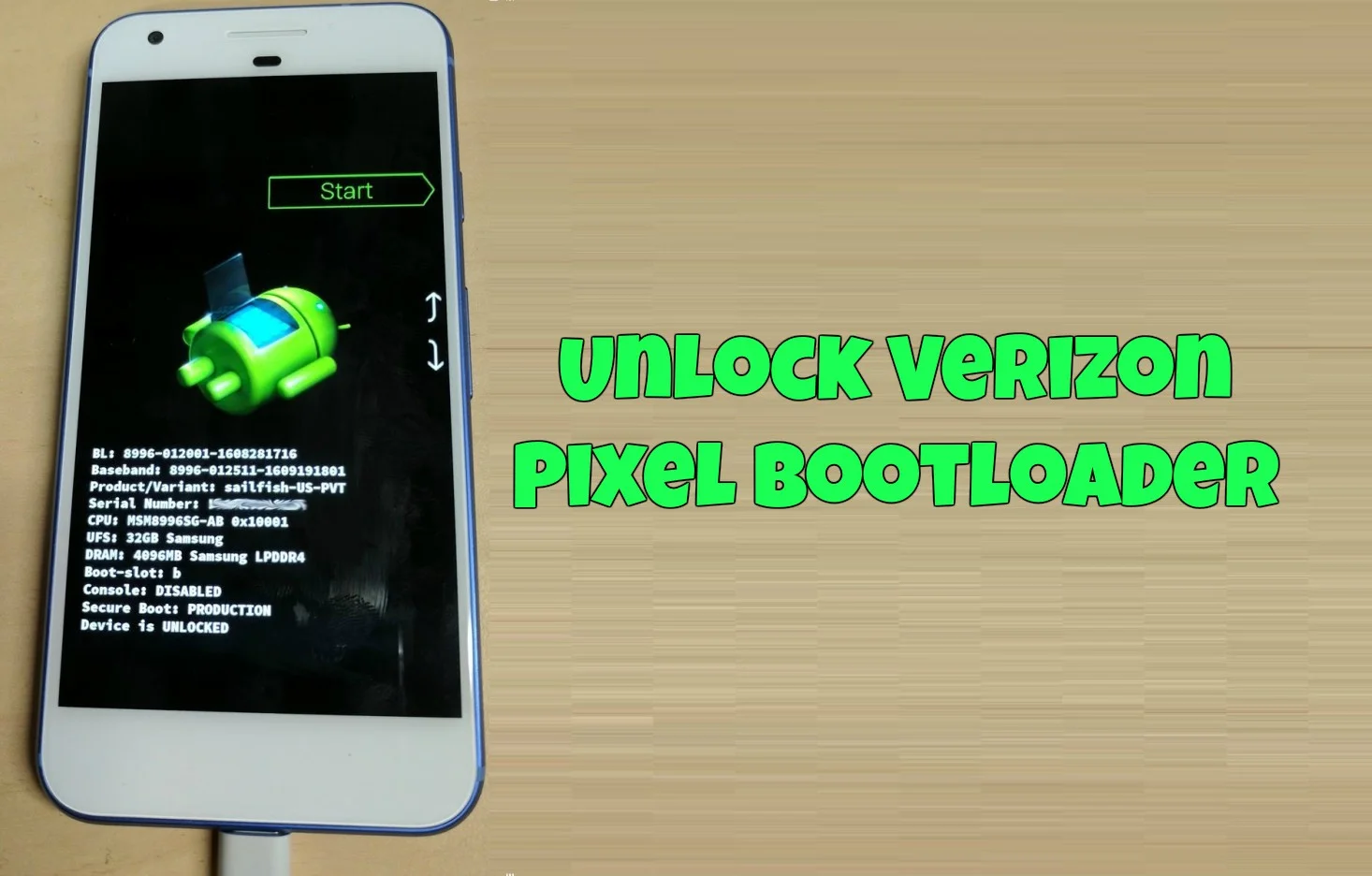
SunShine is our bootloader unlock/s-off tool for Motorola and HTC phones. We currently support most HTC phones, and Droid Turbo, Moto X (2014), Moto X (2013), MotoG (2013) and Droid Maxx/Mini/Ultra on Android 4.4.3 and lower. All modern HTC devices (m9 m7 m8 e8 Mini2 remix dna etc) devices are supported up to 7.1.1, as long as they are rootable. SunShine can work without pre-rooting all 4.4.3 and below devices, and some 4.4.4 and 5.x devices. Some 5.0 and above users will have to root with HTCDev.com. Verizon M7 5.0.x users will have to temp root with the Kingroot app. DROID TURBO 2 IS NOT SUPPORTED.
Change Log
March 31st 2022
Minor updates
Version 3.5.55
Minor updates
Version 3.5.30
HTC U11 Fixes
Version 3.5.29
HTC U12 Support added
Version 3.5.27
Fix server issue
Version 3.5.25
HTC m9 stability fixes
Version 3.5.24
Minor update
Version 3.5.23
Now work on some phones with damaged security partitions.
Version 3.5.22
Minor update
Version 3.5.21
HTC 10 Oreo Support (release)
Version 3.5.20
HTC 10 Oreo Support (beta)
Version 3.5.18
U11 Oreo Support added (For most firmwares)
Version 3.5.16
Fix false detection by Google
Version 3.5.15
Minor fixes
Version 3.5.14
Network Fixes
Version 3.5.13
HTC u11 SimUnlock (Not tested for Sprint, no guarantee for sprint sim unlock)
Identifier syncing – requires second run for identifier changes made with fastboot
Version 3.5.12
Minor fixes
Version 3.5.11
Minor fixes
Version 3.5.10
Fix rare licensing error
Version 3.5.9
Fix older Motorola support
Version 3.5.8
Enhanced HTC U11 S-OFF Support, READ THE DIALOG POPUP!
Version 3.5.7
HTC U11 S-OFF Support, READ THE DIALOG POPUP!
Version 3.5.6
Minor fixes
Version 3.5.5
Added Magisk support
Added Droid Turbo 24.251-5-5 support via autoprime intiroot
Version 3.5.4
Minor fixes
Version 3.5.3
Fix HTC m7 support
Stability fix for Motorola devices
Version 3.5.2
Fix hang on some devices
Version 3.5.1
Fix hang/crash on some devices
Version 3.5
Fix Desire 626s Support
Version 3.4.30
Moved license server to new server
Version 3.4.29
VZW Droid Turbo 6.x support added
Droix Turbo 5.x support fixed
Version 3.4.27
VZW Droid Turbo 6.0.x support added
Version 3.4.26
New temproot for HTC J Butterfly 3 (HTV31)
New temproot for HTC J Butterfly 2 (HTL23)
Version 3.4.25
Desire 626s Temproot added
S-OFF/Unlock support for Desire 626s including Verizon
New HTC One m8 temproot
Bug Fixes for HTC One A9 temproot
Bug Fixes for HTC One M9 temproot
Version 3.4.24
S-OFF/Unlock support for Desire 626s
New HTC One m8 temproot
Bug Fixes for HTC One A9 temproot
Bug Fixes for HTC One M9 temproot
Version 3.4.23
New temproot for HTC One M9 and A9 (Marshmallow and lower, not Nougat)
Version 3.4.22
Minor fixes
Version 3.4.21
More HTC A9 related fixes
Version 3.4.20
Fix for HTC A9, M9 and other devices
Version 3.4.19
Android 7.x.x Support
HTC Evo 10 / HTC Bolt support for s-off
Use This for HTC Evo 10/Bolt root
HTC 10 7.0 S-off support (Temproot for 6.x only)
Version 3.4.17
Fix HTC 10 temproot (blame jcase for breaking it)
Version 3.4.16
Fixed minor bugs related to Droid Turbo Temproot
Version 3.4.13
Add support for additional servers
Version 3.4.12
Temproot now supports all known HTC 10 software versions
Version 3.4.10
Fixed HTC A9 support
Version 3.4.9
MediaTek fixes
Version 3.4.8
Added Support for HTC S9 s-off
Version 3.4.7
Droid Turbo SU4TL-49 – Text changes
Version 3.4.6
Added Support for Motorola Droid Turbo on SU4TL-49 firmware
Version 3.4.5
Additional HTC 10 temproot fixes
Version 3.4.4
Improved HTC 10 temproot. Screen toggling no longer needed.
Version 3.4.3
Additional HTC 10 (Verizon HTC 10 too) temproot fixes
Version 3.4.2
HTC 10 temproot fix (Verizon release firmware, and gsm models now should work better)
Reinstall error fixed
Version 3.4.1
HTC 10 TempRoot bugfix (now works with SuperSu apk installed)
Verizon HTC 10 support tweak (minor)
Version 3.4
HTC 10 TempRoot added
Verizon HTC 10 support added (to app!)
No wipe/format for HTC 10 (when choosing S-OFF/LOCKED)
S-OFF/LOCKED will behave as S-OFF/UNLOCKED on HTC 10
Version 3.3.20
Fixed device detection for some custom roms
Version 3.3.19
Misc bug fixes
Version 3.3.18
This version has been REMOVED due to bugs for older phones, use version 3.3.17 instead for now
Version 3.3.17
Fix Sprint HTC sim unlock
Version 3.3.16
Various minor bug fixes
Version 3.3.15
Add s-off support for Desire 530
Version 3.3.14
Fix HTC m9 support
Version 3.3.13
Added support for some Desire 820 Models, run it and see! Added support for HTC One m9e m9ew and m9s
Version 3.3.12
Additional fixes for HTC 10 error reporting
TempRoot related stability fixes
Version 3.3.11
Fix HTC 10 error reporting
Version 3.3.10
Added S-OFF Support for HTC 10 Lifestyle (Snapdragon 652)
Version 3.3.9
Fix Kernel/Rom flashing bug for S-OFF/LOCKED Devices
SimUnlock for Sprint HTC m9 and similar phones (Experimental, No guarantee)
Global Unlocked added to Sprint Unlock feature (Experimental, No guarantee)
Minor fixes
Version 3.3.8
For HTC 10 devices, option to set bootloader status to “LOCKED”
Misc fixes
Version 3.3.6
Fix Droid Turbo Support (Only su44 5.1 firmware)
Fix Dialog text for HTC 10
Version 3.3.5
Fixed HTC m7 device detection on Android 4.x
Version 3.3.4
Added HTC 10 Support
Version 3.3.3
Enhance HTC m7 device detection
Version 3.3.2
Adds support for Verizon HTC m8 on htc/HTCOneM8vzw/htc_m8wl:6.0/MRA58K/708002.3:user/release-keys firmware
Version 3.3.1
Fix device detection for Droid Mini (support up to 4.4.3 only)
Version 3.3
Adds support for Verizon HTC m9 on HTCOneM9vzw/htc_himawl:6.0/MRA58K/669662.7:user/release-keys firmware
Version 3.2.7
Stability fixes, add support for some older Motorola devices on 4.4.3 and below (Razr M and some others)
Version 3.2.5
Fixed stability issue in temproot for older phones
Version 3.2.4
More stable temproot for Droid Turbo
Version 3.2.1
Merged Droid Turbo Support into main release
Added new root for Droid Turbo (no more mofo/kingroot needed)
Added new root for Some HTC (like m8, no more htcdev/kingroot needed)
Removed 626s support for now
Version 3.1.22
Support for Android 6.0
Support for HTC A9
Support For Desire 626s (not Mediatek 626)
Version 3.1.21
Work around for a bug introduced by HTC, causing the m9 to bootloop
Version 3.1.18
Added Sprint SimUnlock for HTC (Not for m7, m9 HTC 10, non-domestic carriers only, not for TmobileUS/ATT SIMs)
Version 3.1.17
Edge case bug fixed for MotoX 2014 Better HTC Support
Version 3.1.16
Better MotoX 2014 support Better MotoX 2014 custom rom support
Version 3.1.15
Additional Support for HTC m9 on 5.1.x Added Motorola X 2014 support (Droid Turbo is not supported in this build)
Version 3.1.14
Improved memory management Security hardening Fixed low memory devices(mini,remix, s400s etc)
Version 3.1.13
Fix for HTC m9 and e9 users
Version 3.1.12
Added Support for HTC Mediatek e9+ and m9+
Version 3.1.11
Added support for HTC m9 5.1 firmwares!
Version 3.1.10
Fixed m9 firmware detection Blocked some m9 firmwares (fix coming in 3.1.11)
Version 3.1.5
Added S-ERR repairing Fixes for stability issues Disable Credit/Debit Card payment for sprint phones
Version 3.1.4
This update has been pulled to address some issues, please use 3.1.3
Version 3.1.3
Fixed HTC m7 class simunlock (Not for Sprint)
Version 3.1.1
Experimental fix for HTC m7 SimUnlock
Additional memory clearing for HTC m9
Version 3.1
Added HTC m9 support
Added Experimental HTC Simunlock (Not m9, Not CDMA devices)
Version 3.0.8
Combined Motorola and HTC versions of sunshine
Various minor fixes
Version 3.0.7
Moved Motorola support to it’s own APK
Version 3.0.5
Fixed failure to reboot bug
Fixed two “Unexpected Errors”
Version 3.0.4
Fixed HTC M7/One Max support
Fixed TempRoot on older HTCS
Fixed “endless testing”
Better error handling
Fixed three “Unexpected Errors”
Version 3.0.3
Fixed two “Unexpected Errors”
Fixed one SuperSu Hang
Fixed HTC CDMA TempRoot Crash
Fix paypal crash
Added Mini2/Remix (s400) support
Now supporting all 4.4.4 HTC
Now supporting all rootable 5.0.x HTC